Disaster Recovery as a Service

Run your business from our cloud while yours is down.

Our Australian-based DRaaS keeps a continuously restored copy of your servers standing by in secure Australian datacenters. If production stops, we fail over. When it is fixed, we fail back.

Step 1

Continuous restore to a standby cloud environment
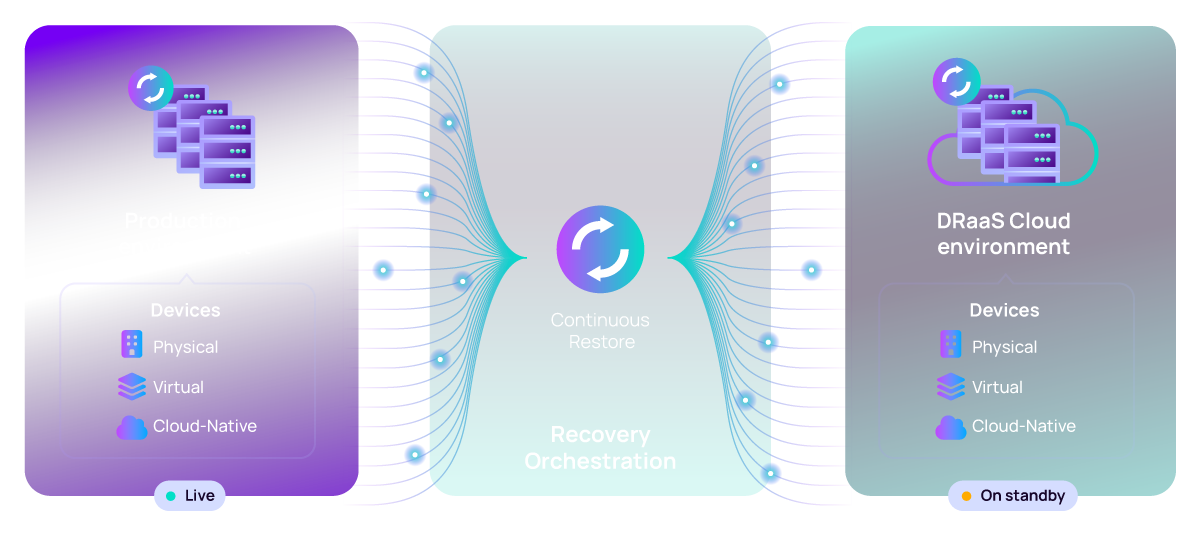
Step 1 — production devices live while backups continuously restore into a standby DRaaS cloud environment
  • Physical servers, virtual machines, and cloud-native workloads are backed up continuously.
  • Each recovery point is continuously restored into a standby DRaaS environment, so it is ready to boot — not just ready to copy.
  • Backups are stored in Australian datacenters and copied automatically to separate immutable storage arrays.
  • Automated restore verification runs every two weeks, because backups are no good if they are not tested.
Step 2

Failover on disruption

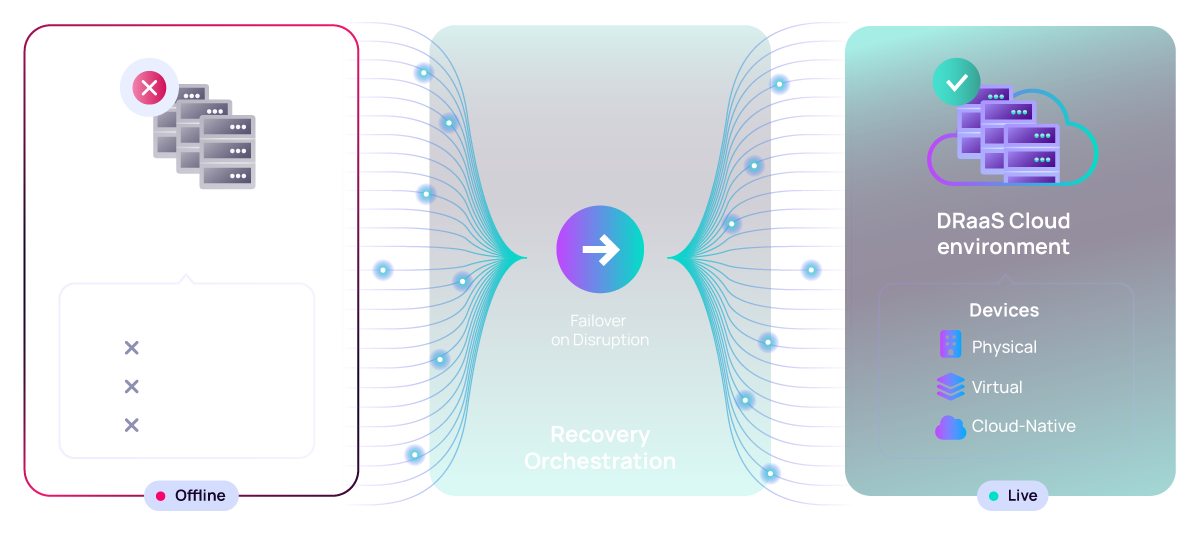
Step 2 — production offline while the DRaaS cloud environment goes live through recovery orchestration
  • When production goes offline — hardware failure, flood, ransomware, or site loss — recovery orchestration brings the standby environment live.
  • Domain controllers, file servers, and line-of-business systems start in the correct order using a pre-built runbook.
  • A site-to-site VPN reconnects your users, so they work with their normal drive mappings and applications.
  • Real-world result: one client was operating again roughly five hours after an air-conditioning leak destroyed their server rack.
Step 3

Failback on resolution

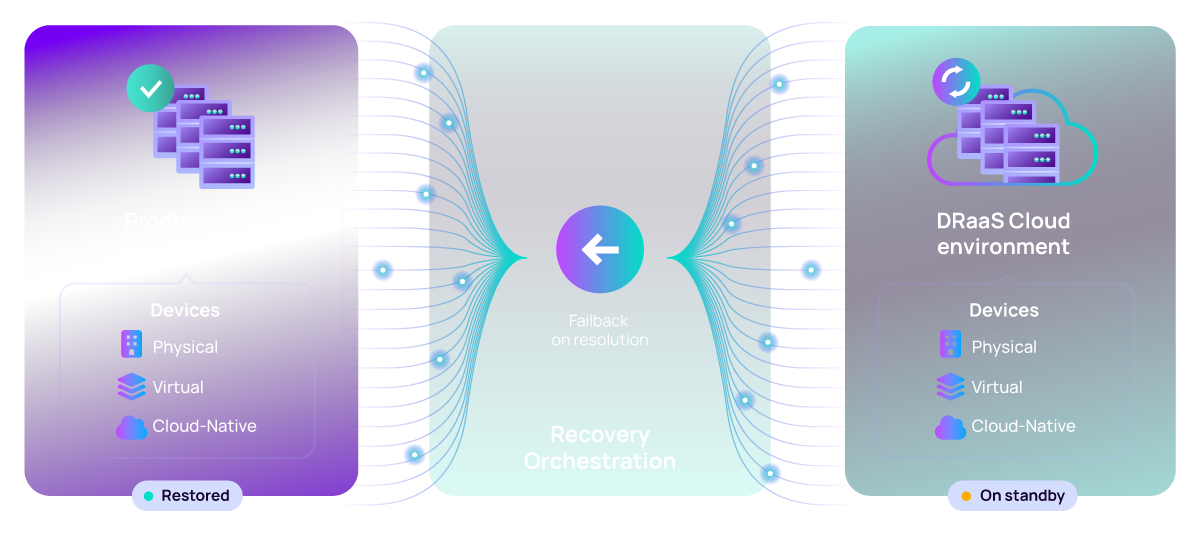
Step 3 — production restored and back live while the DRaaS cloud environment returns to standby
  • Once your production site is repaired or replaced, changes made in the cloud are replicated back to it.
  • We schedule the cutover with you, verify the restored systems, and hand production back cleanly.
  • The DRaaS environment returns to standby and continuous restore resumes automatically.
  • You receive a written recovery report covering timeline, data loss window, and any remediation actions.

What DRaaS protects

The same recovery orchestration covers every device class, so a single failover plan spans your whole environment.

Physical

Windows and Linux servers running on bare metal, including domain controllers and file servers.

Virtual

Windows and Linux virtual machines on Hyper-V or VMware, protected at the guest level.

Cloud-Native

Microsoft 365 and Google Workspace data, plus cloud-hosted servers and applications.

Build your failover plan before you need it

We will map your critical systems, set recovery targets, build the runbook, and test the failover with you.